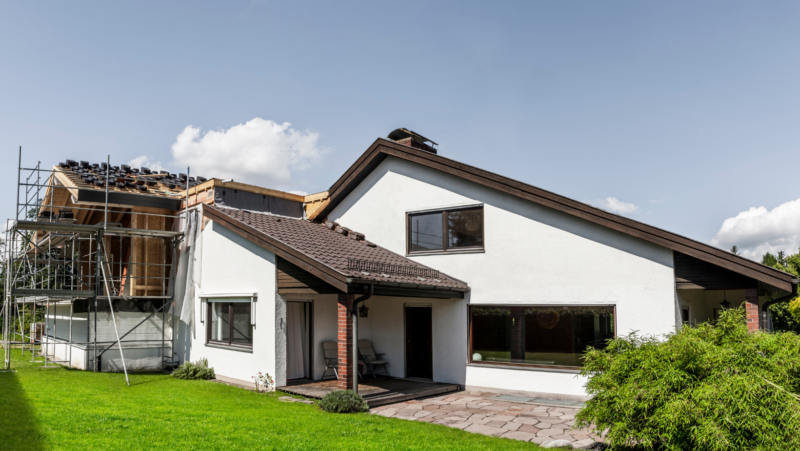

Picture this: You’re standing in your backyard, garden hose in hand, squinting at a patch of dirt where you hope a patio will go. You’ve got a head full of ideas, but every time you try to sketch them out, the lines get wobbly and the proportions go haywire. If you’ve ever felt that frustration, you’re not alone. That’s where exterior design software steps in—turning those fuzzy dreams into crisp, clickable plans you can actually build.
Why Exterior Design Software Feels Like Magic
Let’s be honest. Most of us aren’t architects. We want to see what a fire pit would look like next to the pool, or if that row of hydrangeas will block the neighbor’s view. Exterior design software lets you drag, drop, and rearrange your outdoor space without breaking a sweat—or the bank. The first time you swap out a deck for a stone patio with a single click, you’ll wonder how you ever planned without it.
What Is Exterior Design Software, Really?
Exterior design software is a digital tool that helps you plan, visualize, and tweak outdoor spaces. Think of it as a sandbox for your yard, patio, or rooftop. You can add plants, furniture, walkways, and even lighting. Some programs use 3D modeling, so you can “walk” through your future garden before you buy a single bag of mulch.
Who Should Use It?
- Homeowners dreaming of a backyard makeover
- DIYers who want to avoid expensive mistakes
- Designers and contractors who need to show clients clear plans
- Anyone who’s ever said, “I wish I could see it before I build it”
If you’re the type who loves tinkering with details, you’ll have a blast. If you just want a quick sketch, some tools keep it simple. But if you hate computers or want someone else to do the heavy lifting, this might not be your thing.
How Exterior Design Software Works
Here’s the part nobody tells you: The best exterior design software doesn’t just spit out pretty pictures. It helps you make smarter choices. You can measure distances, check sun exposure, and even estimate costs. Some programs let you upload a photo of your actual yard, so you’re not guessing what that pergola will look like next to your weirdly shaped garage.
Key Features to Look For
- 3D Visualization: See your ideas from every angle
- Plant and Material Libraries: Choose from real-world options
- Measurement Tools: Make sure everything fits
- Photo Import: Overlay designs on your actual space
- Cost Estimators: Keep your budget in check
Let’s break it down: If you’re planning a small garden, you might not need advanced 3D tools. But if you’re redoing a whole backyard, those features can save you from expensive regrets.
Popular Exterior Design Software Options
There’s no one-size-fits-all answer. Some people swear by SketchUp for its flexibility. Others love Realtime Landscaping for its plant database. Then there’s Home Designer Suite, which balances power and ease of use. If you’re on a budget, free tools like Planner 5D or Gardena’s My Garden can get you started.
Real-World Example: The Patio That Almost Wasn’t
Last summer, my friend Sarah wanted a new patio. She almost hired a contractor based on a hand-drawn sketch. But after playing with exterior design software, she realized her dream fire pit would block the back door. She moved it in the software, saved thousands, and avoided a daily stubbed toe. That’s the kind of mistake you only make once—unless you have the right tool.
Common Mistakes and How to Dodge Them
Here’s a confession: I once designed a garden path that looked perfect on paper. In real life, it turned into a muddy slip-and-slide every time it rained. If I’d used exterior design software with drainage simulation, I could’ve seen the problem coming. Lesson learned—always check for features that match your climate and needs.
- Don’t ignore sun and shade patterns—most software can simulate this
- Measure twice, design once—use the built-in measurement tools
- Start simple—add details as you go
- Save versions—sometimes your first idea isn’t your best
Next steps: Play with the software before you commit to a design. You’ll spot issues you never saw on paper.
Tips for Getting the Most Out of Exterior Design Software
- Take photos of your space in good light—upload them for reference
- Set a budget and use cost estimation features
- Experiment with different layouts—don’t settle for your first draft
- Ask friends or family for feedback on your designs
- Check for mobile apps if you want to design on the go
If you get stuck, most programs have tutorials or user forums. Don’t be afraid to ask for help—everyone starts somewhere.
What Sets Great Exterior Design Software Apart?
Here’s the secret: The best exterior design software doesn’t just make things look pretty. It helps you make decisions you’ll be happy with for years. Look for tools that feel intuitive, offer real-world materials, and let you see your space from every angle. If you can “walk” through your design and spot problems before you build, you’re ahead of the game.
Final Thoughts: Is Exterior Design Software Right for You?
If you love the idea of planning your outdoor space with confidence, exterior design software is worth a try. It’s not just for pros—anyone can use it to avoid costly mistakes and bring their ideas to life. The first time you see your dream patio on screen, you’ll feel that spark of possibility. And if you mess up? Just hit undo. That’s a luxury you don’t get with concrete.